Incident workflow

How incident review works on a live site.

Validated incidents, not alert floods—for people on shift: queues, ownership, and follow-through, with evidence on the incident, not a wall of identical alerts.

Queue-first incident operations

Work the queue as an evidence-backed operating workflow

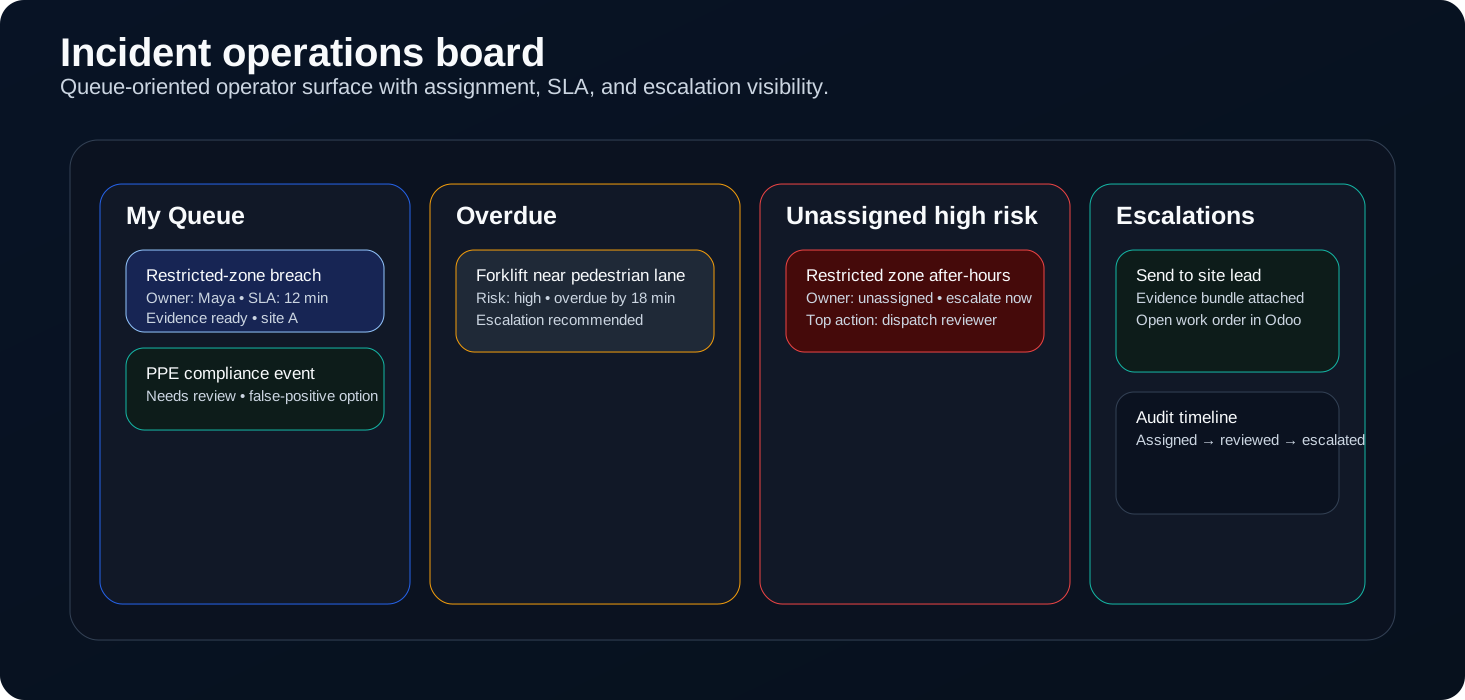
One board for what’s new, owned, late, or hot—so the shift doesn’t lose the thread.

Owned work, overdue items, unassigned risk, and escalations in one view.
Status, owner, severity, and timing together—no tool-hopping for the basics.
Clip, live view, and next action stay on the incident record.
Incident board: queues, assignment, escalation, evidence on each case.
Work is sorted for the floor—evidence and ownership stay on the incident.
Operator loop

What an operator does in a live shift

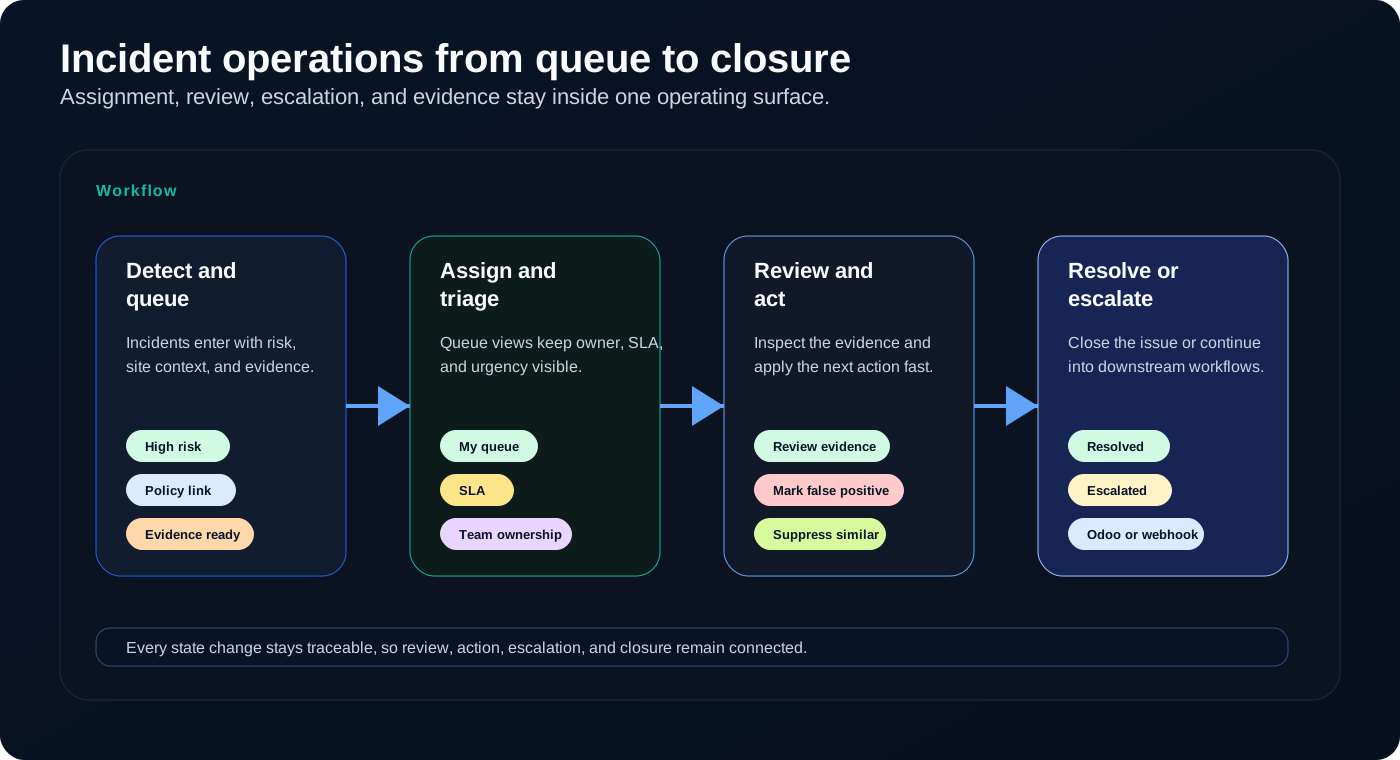
Claim → review → act → continue—with evidence and notes on the incident the whole way.

Claim — pull new work into your queue so it’s under review, not lost in the list.
Review — watch the clip, scan history and related hits, then decide.
Act — resolve, escalate, suppress (with a reason), or reassign.
Continue — when the case moves on, notes and evidence go with it.
Detect, queue, review, resolve or escalate—traceable on the incident record.
Detect → queue → review → resolve or escalate—each step stays traceable on the incident.
Prioritization

Prioritize what matters without hiding the rest

Urgent work up front; repeats and nuisance patterns quieted down—without erasing why you made the call.

Risk-ranked queue

What matters most surfaces first for the person on shift.

Suppression transparency

Repeated patterns stay visible with the suppression reason on the record.

Re-review trail

False positives, repeats, reopens, and owner changes stay in one place.
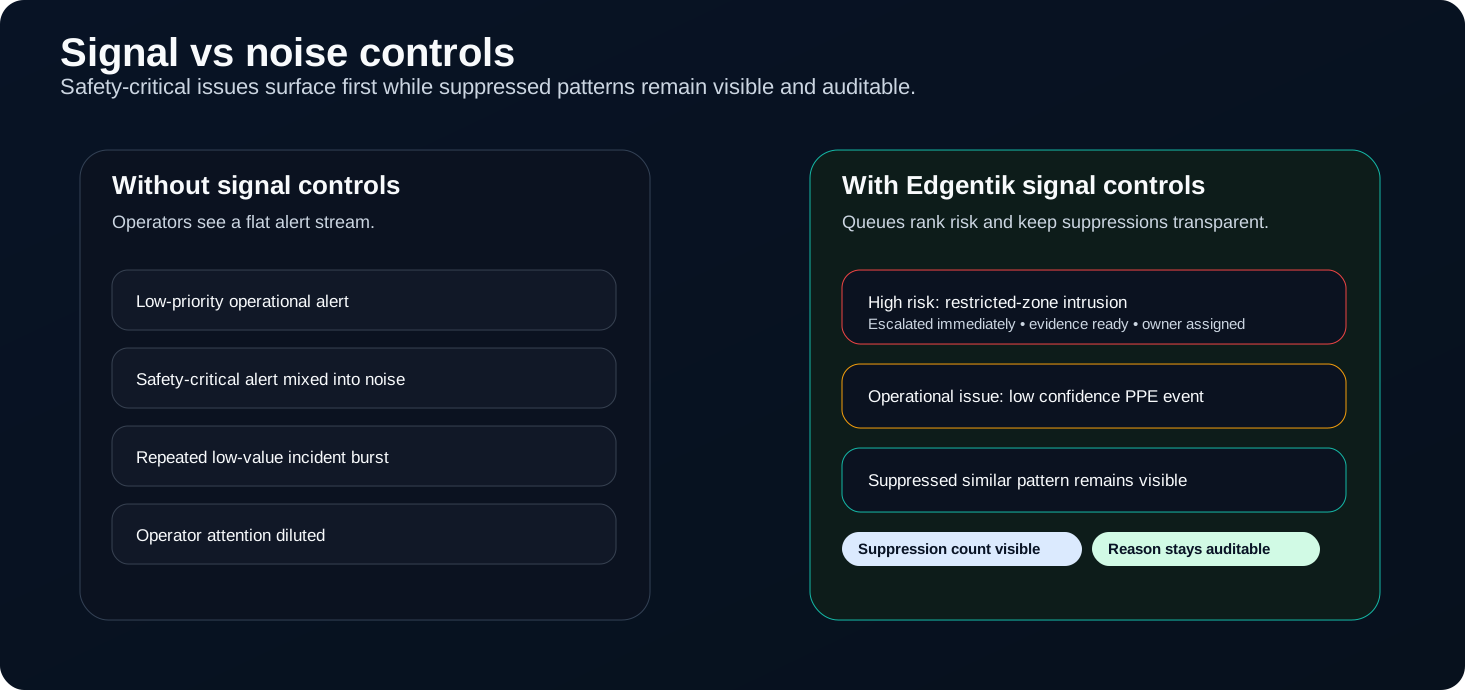
High-priority incidents first; suppressed items still visible with reasons.
Signal rises; suppressed patterns stay visible and inspectable.
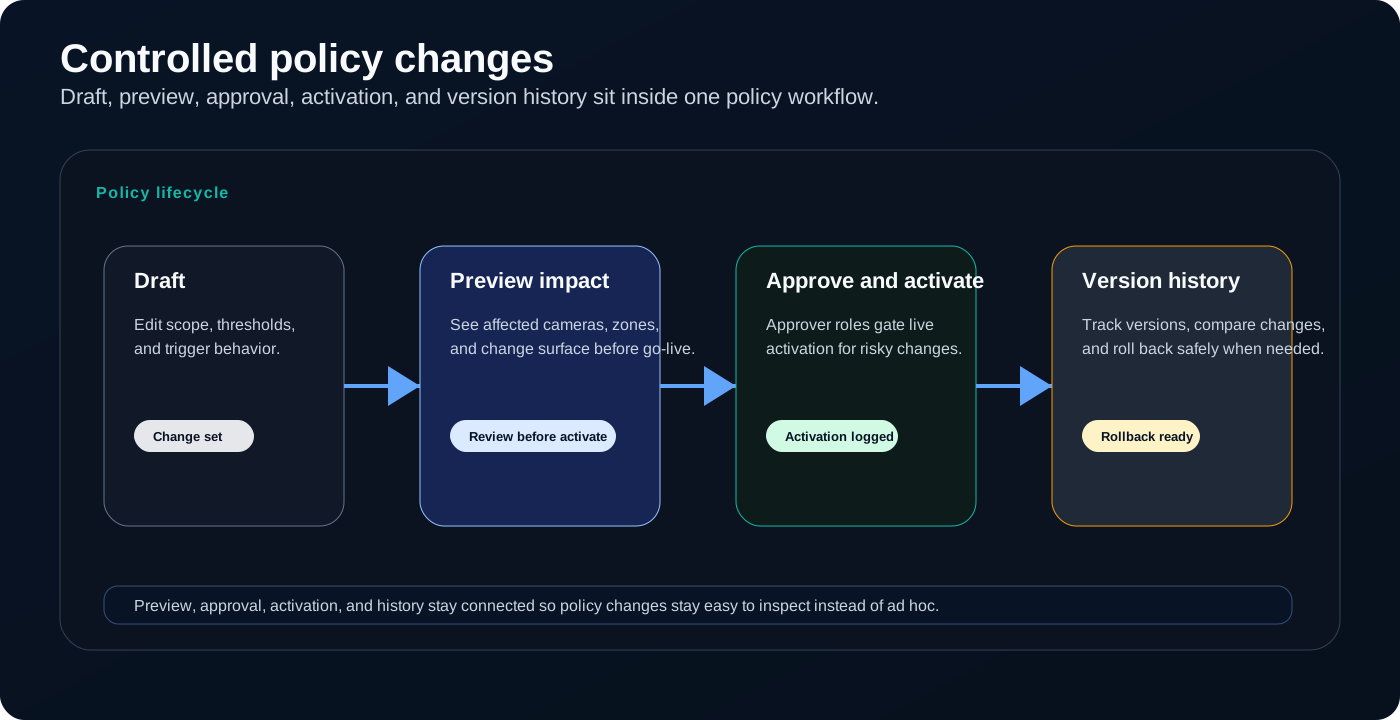
Policy change path from draft through preview and activation with history.
Preview and history—not ad hoc toggles.
Policy tuning

Keep tuning changes inside a clear workflow

When the same pattern keeps showing up, policy changes run through a fixed workflow: draft, preview, activate, and history—so you can walk back a bad tune.

Tie changes to what operators are actually seeing in the queue.
Preview before the floor sees new behavior.
Roll back when results slip.