
Controls you can see while the site is live
Scoped access (RBAC), audit-backed evidence, the audit trail, controlled rollout and rollback, bounded recovery—plus diagnostics when something looks off. Same app as incident review and handover, not a bolt-on portal.
Access, evidence, audit, and recovery shown together in one working view.
Who can do what
Roles and scopes line up with org, site, and device—so when you add users or sites, it stays obvious who can change policies, devices, or rollout.
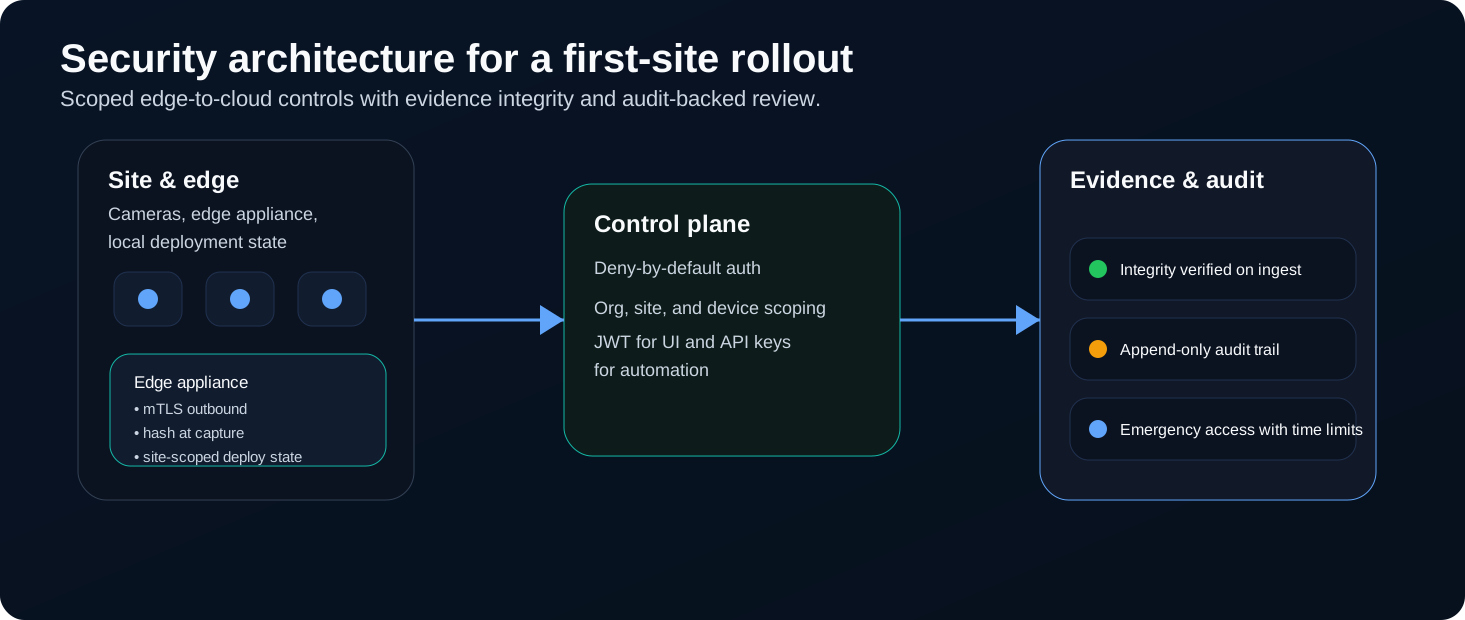
Where the site, edge, and app meet—so review and rollout stay in one picture.
Evidence integrity
Audit-backed evidence means you can stand behind what you review: how it was captured, that handling stayed consistent, and what you kept for later review.
Reviewers see the same evidence path and retained clips or artifacts—so the story does not change between the floor and sign-off.
What gets logged and why it matters
When you run more than one site, you need an audit trail you can read: important actions, evidence touches, and rollout decisions tied to real people and times.
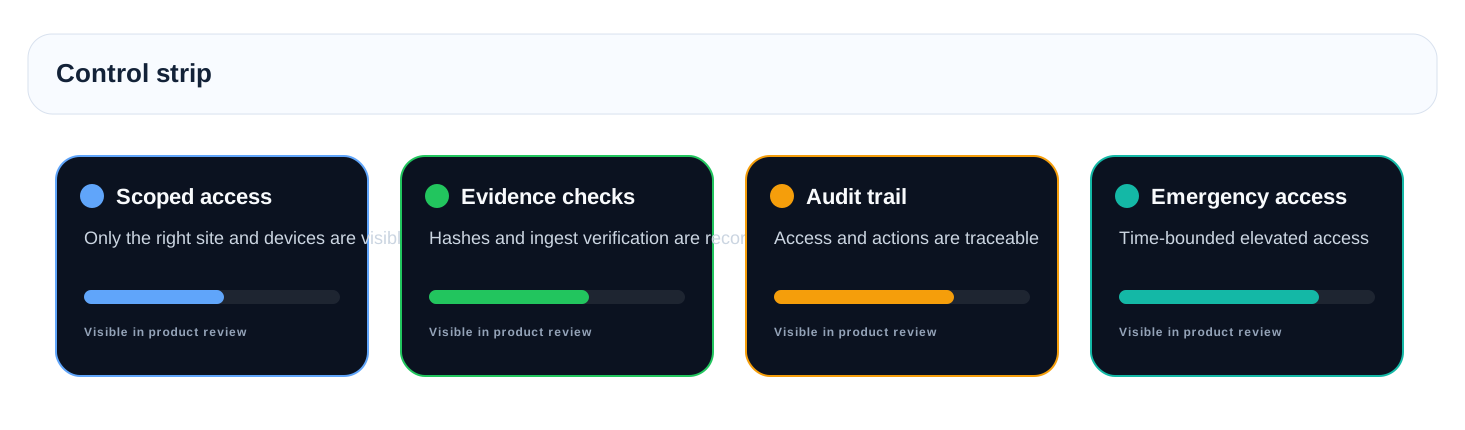
Access, evidence, and audit trail in one place—still the same app.
How risky changes stay controlled
After bring-up, you still need to know which stage you are in, when an apply failed, and how to roll back to last known good without inventing steps in the field. Recovery stays bounded: clear stages, a real rollback path, and the same audit trail as the change.
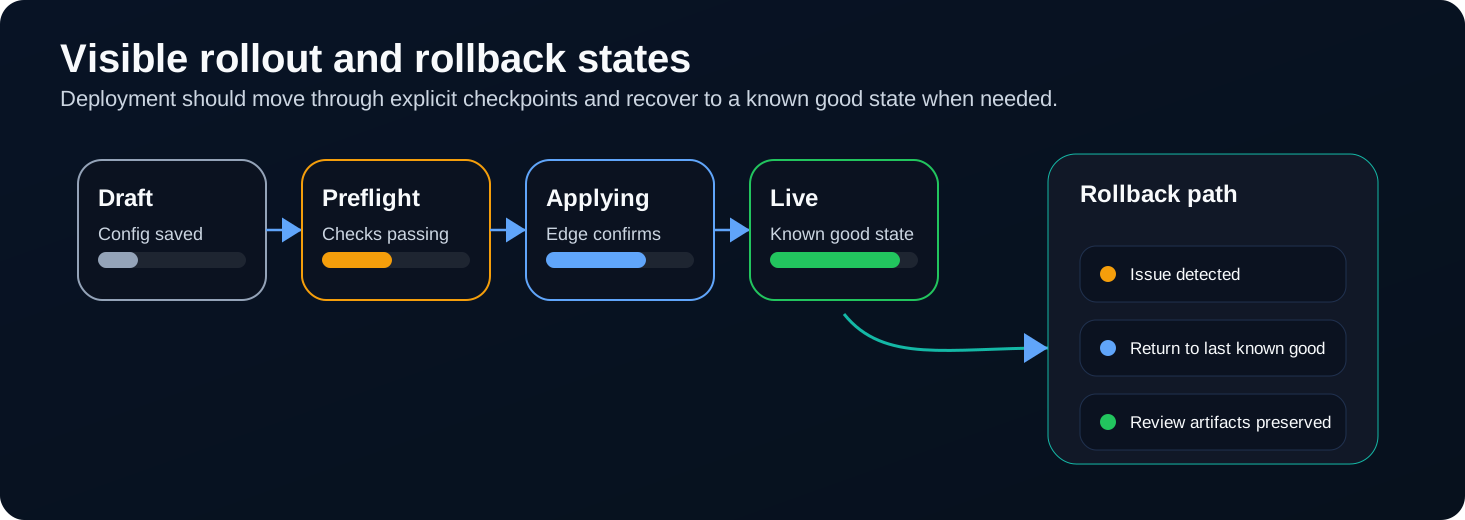
Rollout and rollback as statuses you can read in the product.
How these controls show up together
Access, evidence, audit, and recovery shown together—same app as day-to-day operations, with room for handover when you pass the site to the next reviewer.
-
Scoped access (RBAC)
Open only the sites and devices that role should see.
-
Audit-backed evidence
Incidents tie to clips and context you can defend in review.
-
Audit trail
See who changed rollout, policy, or evidence when it mattered.
-
Controlled rollout / rollback
Bounded recovery: stages, last known good, and what to do next—without leaving the product story.