1
Existing cameras
Current RTSP or on-site feeds already in the warehouse.

Use this page when you want the rollout sequence behind Start with One Site, from readiness and workflow setup through live use and final review.
One site, one bounded deployment path, and one clear review point before expansion.
Existing cameras feed the edge runtime for local processing. Operators use cloud review and control to move reviewed incidents into Odoo workflow continuation today, while broader downstream actions are scoped case by case.
Current RTSP or on-site feeds already in the warehouse.

Local processing, durable queues, and incident creation on the box.
Review, diagnostics, deployment control, and governed fleet state.
Odoo workflow continuation exists today; broader ticket, WMS, or ERP handoff is scoped case by case.
Cameras -> Edge runtime -> Cloud -> Apps, with policies, releases, and deployment changes flowing back to the edge.
The first deployment works best when the site boundary, camera set, workflow, and owner are clear before live operation begins.
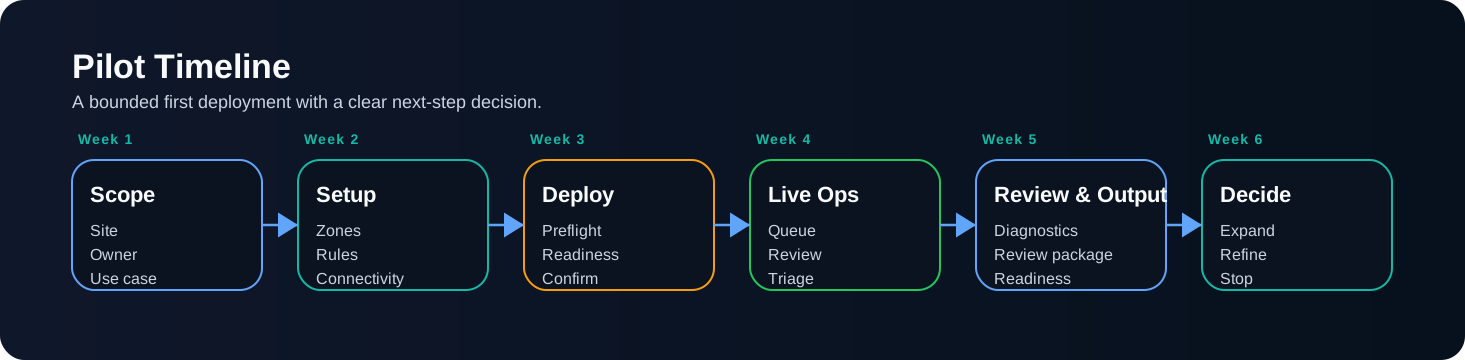
A milestone view of the first site: controlled scope, visible stages, and a clear final review point.
The goal is to move one site through visible stages and end with a clear review and rollout decision.
Connect the site, confirm camera inputs, and make sure the first deployment starts from a usable baseline.
Define zones and policies so the first workflow is narrow enough to review properly.
Run preflight, go live in a bounded way, and keep rollout state visible.
Review incidents with evidence, ownership, and clear follow-through.
Use diagnostics and recovery tools when camera, device, or rollout conditions drift.
Close the loop with readiness, incident evidence, and a clear next-step decision.
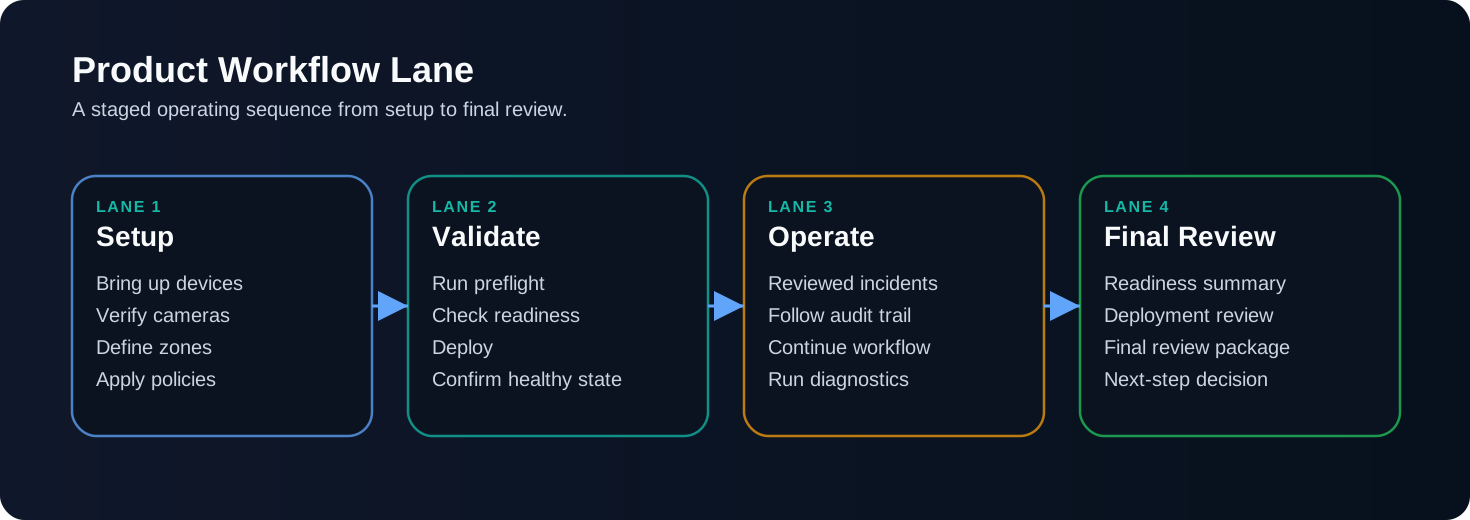
Readiness -> Workflow setup -> Go-live -> Incident review -> Diagnostics -> Final review.
By the end of the rollout, the site should be live, understandable, and ready for a clear next-step decision.
The deployment is active and visible.
Operators can review what happened with retained evidence.
The site and camera state are clear at the point of review.
The rollout ends with enough context to refine, expand, or stop deliberately.
The review should be based on visible materials: incident summaries, incident evidence, readiness checks, and the context around the rollout.
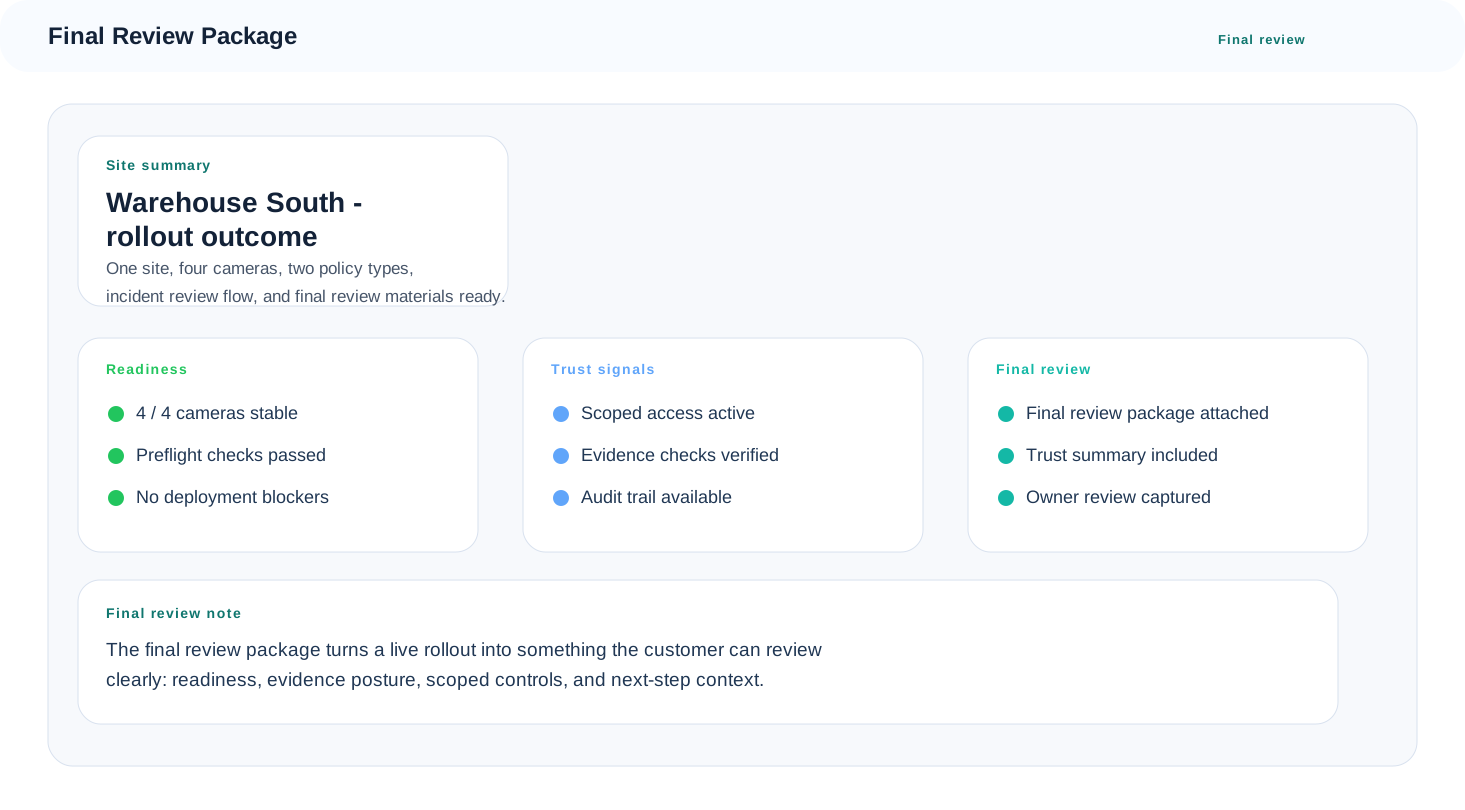
Final review view showing what is ready to review, what evidence supports the site outcome, and what the next-step decision depends on.
The first site moves through visible stages from readiness to final review.