
How live-site changes stay controlled.
Staged rollout, visible rollout state, change windows, scoped promotion, rollback and recovery, and audit-backed overrides—on a live warehouse site.
Roll out in controlled stages
Rollout moves in steps: checks after each step, optional automatic rollback when health slips, and a fast return to a last known-good setup when you need it.
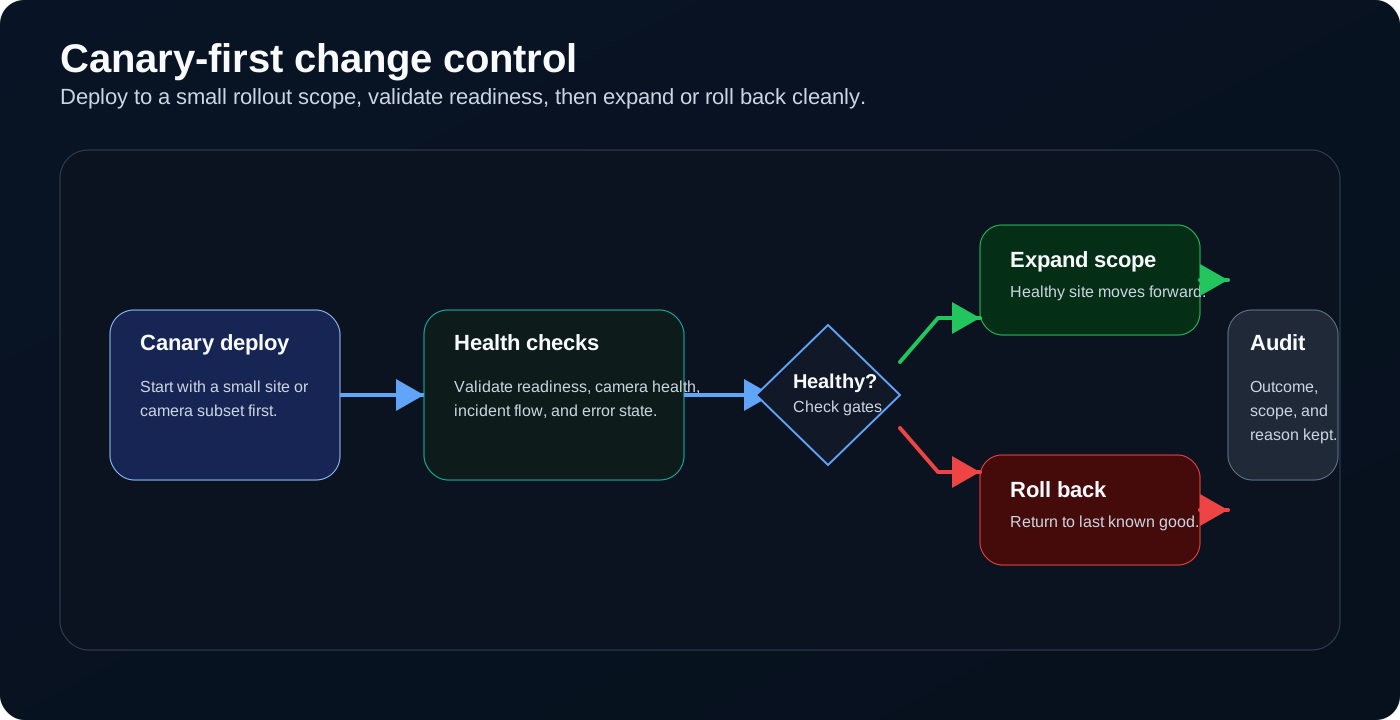
Staged rollout with visible checks and rollback to a last known-good setup.
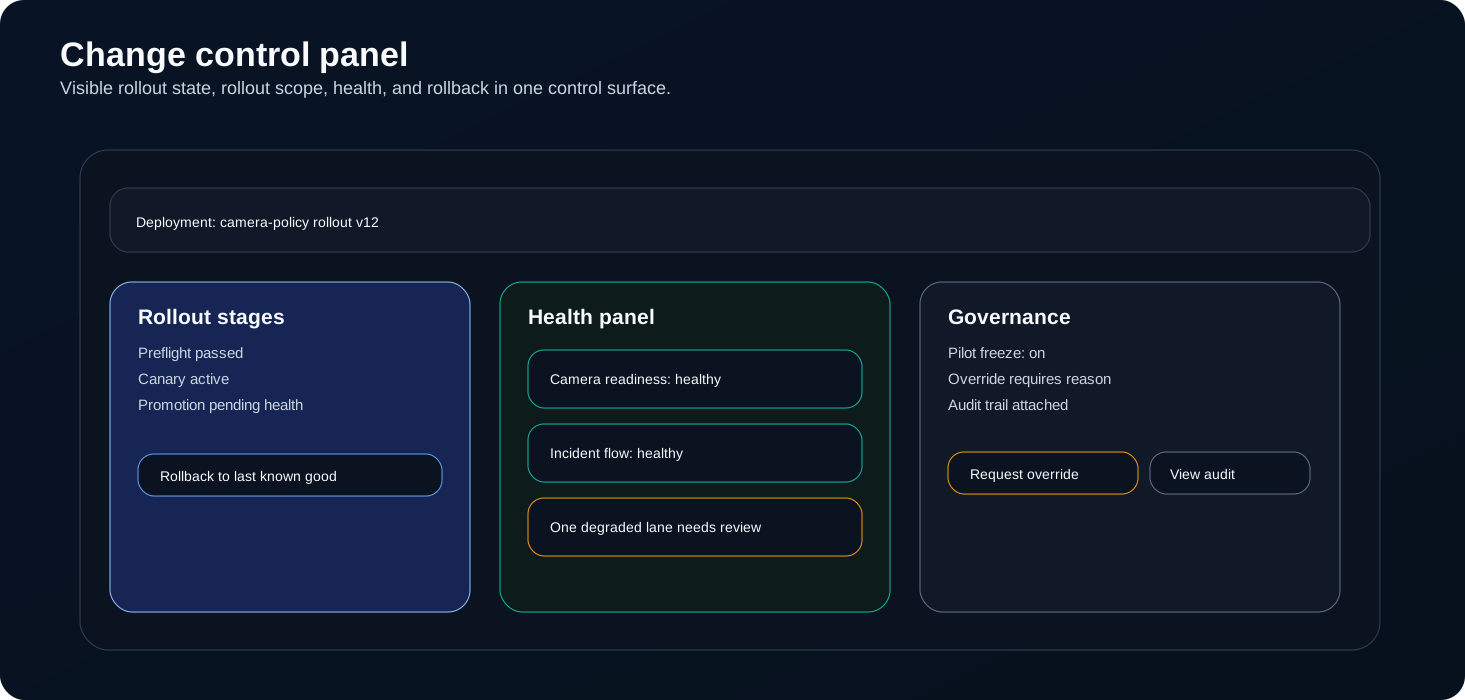
Visible rollout status, rollout scope, and rollback controls in one live-site panel.
Make the rollout state inspectable
Teams trust changes more when rollout stage, health outcome, freeze state, and overrides sit together in one live view.
Protect the pilot window without blocking controlled exceptions
A live rollout stays stable when change windows protect the environment and audited overrides stay visible when there is a real operational reason.
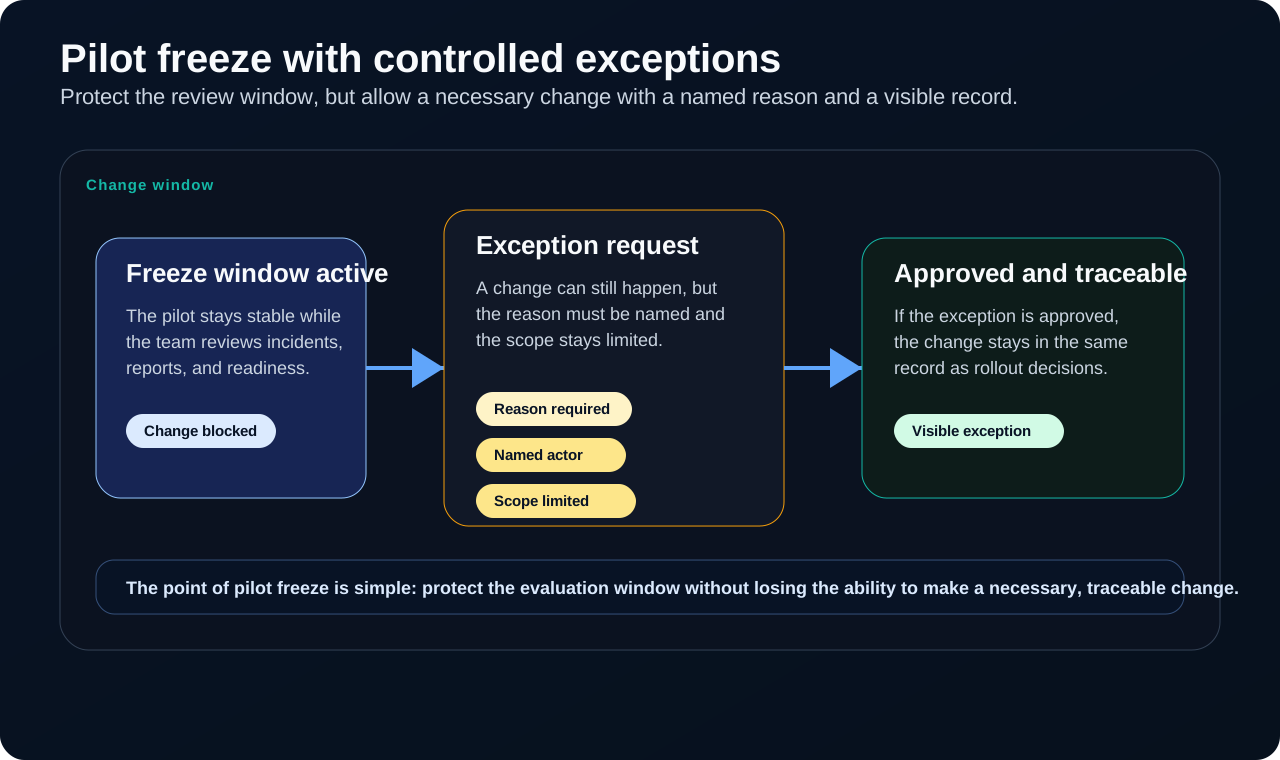
Change windows quiet the site during evaluation; audited overrides stay available when the job truly requires them.
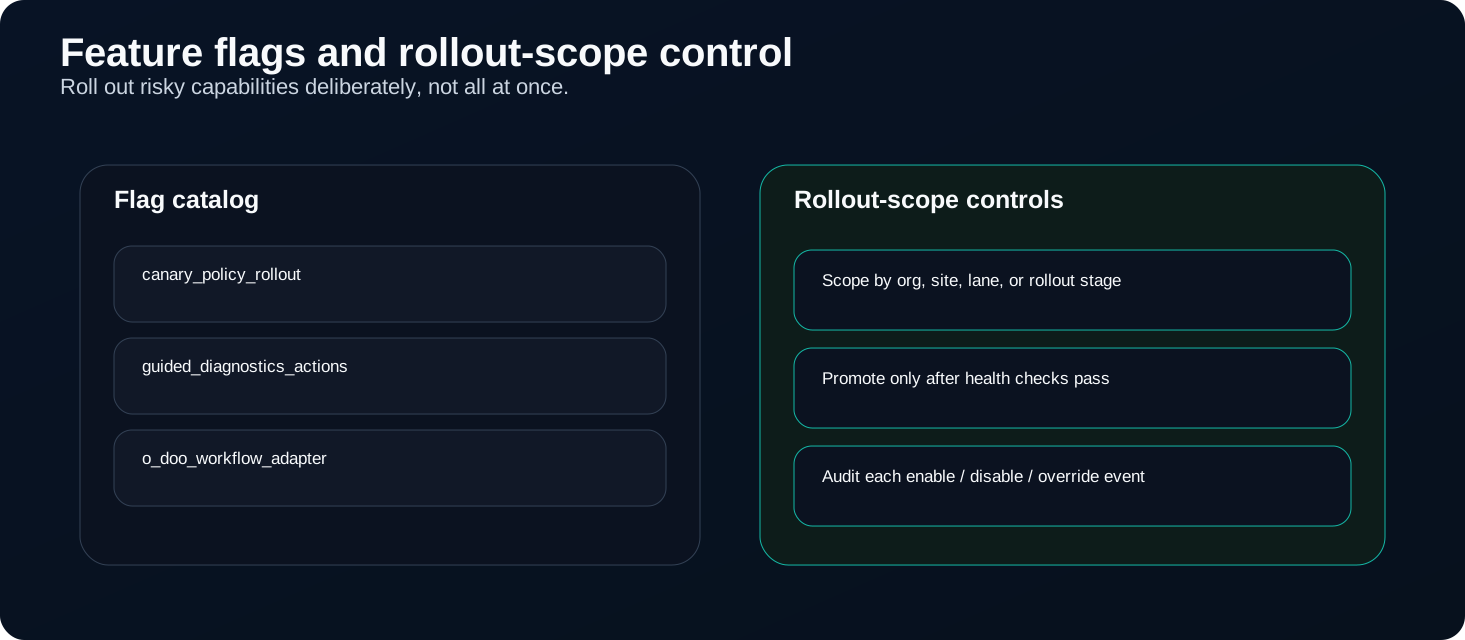
Flags and rollout-scope controls roll out new capability only when the site is ready.
Control rollout scope with flags and staged promotion
Flags are another lever for scoped promotion: turn on only what the site needs, where it needs it, after the right checks pass.
Recovery should stay inside the change workflow
When a rollout degrades, the recovery path stays visible: symptom-first triage, guarded actions, and a return to a known-good setup without guesswork.
Guided diagnostics keeps degraded and unknown states actionable with a clear path back to steady operation.
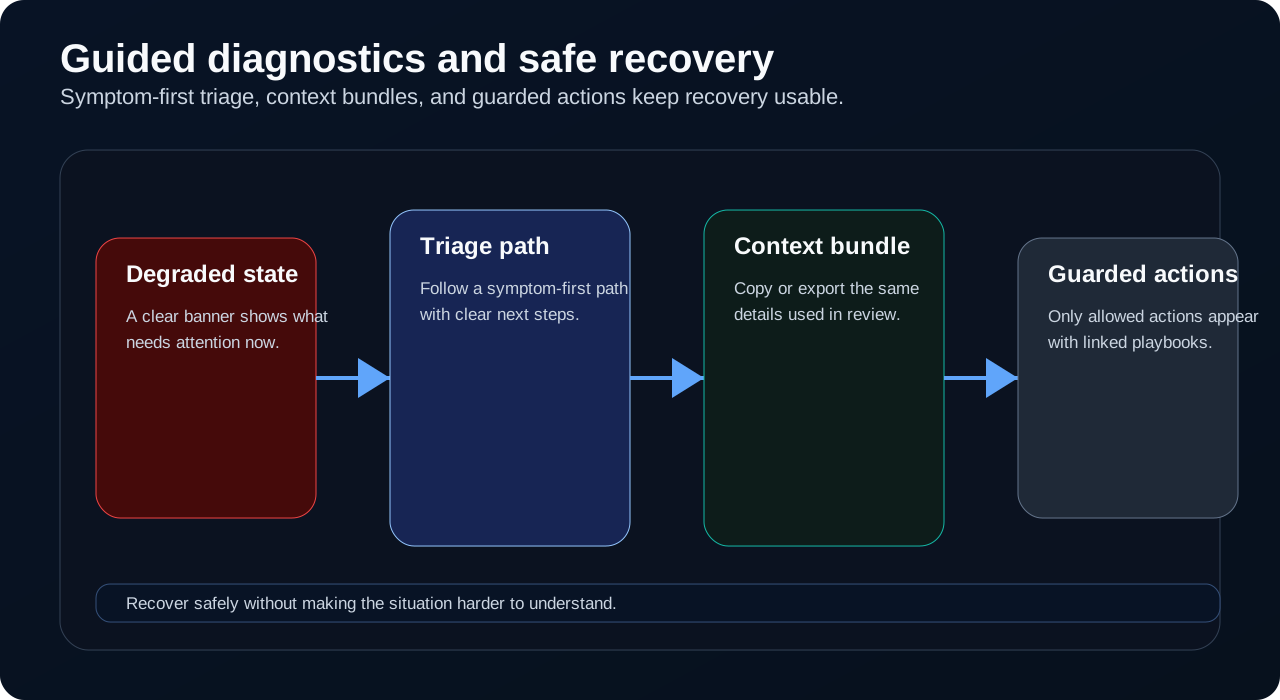
Rollback and recovery stay in the same rollout you widened—triage, then return to a known-good setup.